Zapier automation guide
Zapier Agentic AI Automation Guide
Zapier agentic AI automation is best understood as a fast way to connect business apps, trigger AI-assisted work, and keep approvals moving without asking every team to become a software team. This guide explains what Zapier is, how to use Zapier, how to set up Zapier workflows, and when a business should move from simple Zaps into custom AI automation built by Dev Entity.
Topical Map for This Automation Cluster
This article is part of a Dev Entity agentic AI automation cluster. The goal is to help buyers compare tools, understand implementation tradeoffs, and decide when a custom integration or AI agent build is stronger than a no-code workflow alone.
Definition
- what is Zapier
- Zapier automation
- Zapier workflow
Tutorial
- how to use Zapier
- Zapier tutorial
- how to set up Zapier
Integration
- Zapier integrations
- best Zapier apps
- Zapier API
Commercial
- Zapier pricing
- Zapier free plan
- Zapier for small business
Comparison
- Zapier alternatives
- Zapier competitors
- Zapier vs IFTTT
- Zapier vs Integromat
- Zapier vs n8n
- Zapier vs Make.com
Trust
- Zapier security
- Zapier reviews
- Zapier customer service
- Zapier pros and cons
What Is Zapier in an Agentic AI Workflow?
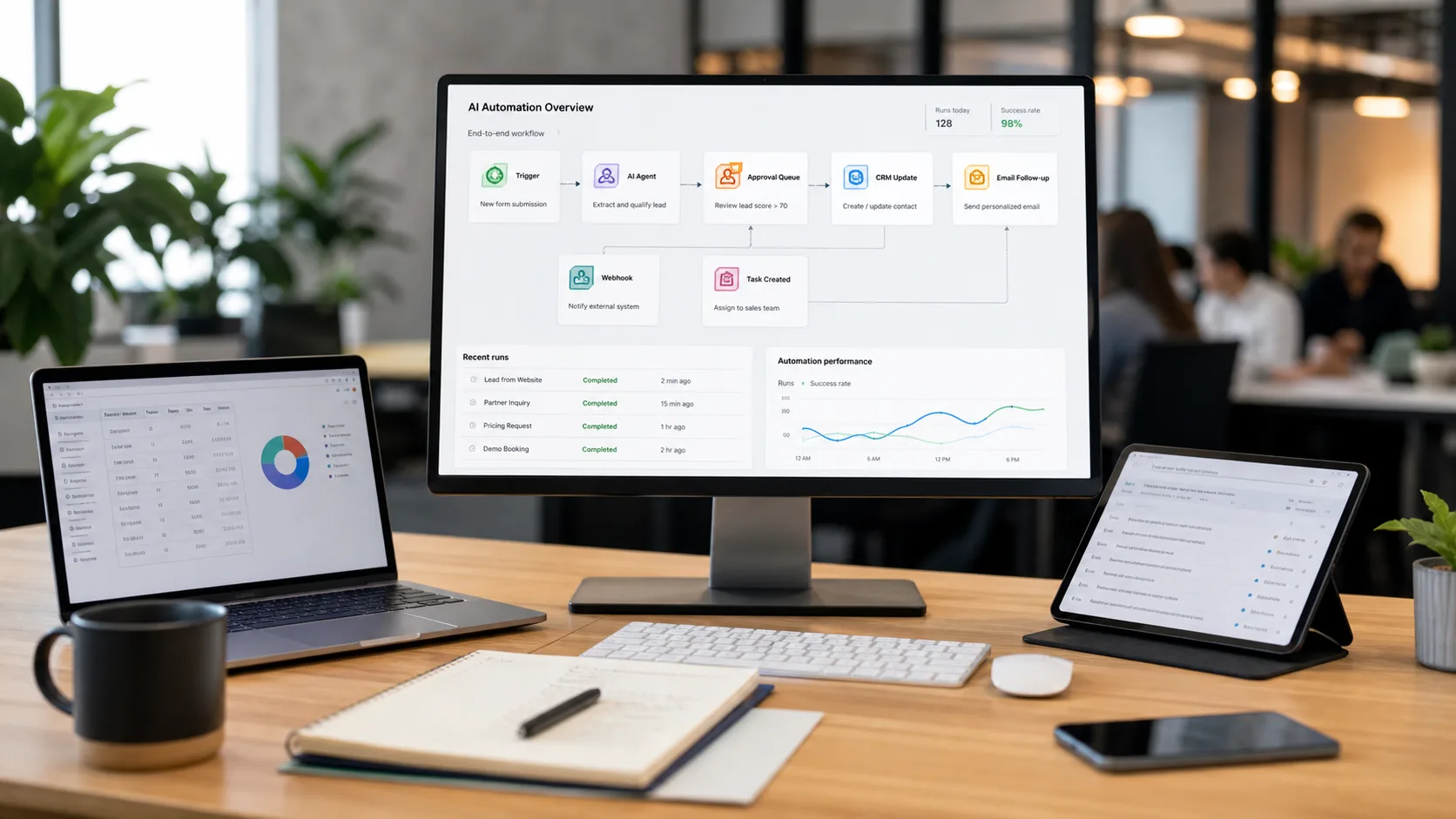
Zapier is an automation platform that connects apps through triggers and actions. In a normal Zapier workflow, one event happens in an app, then Zapier sends data to another app. In a Zapier agentic AI workflow, that chain can include AI steps that summarize messages, classify intent, draft content, extract fields, or decide which path should run next.
For small business teams, the appeal is speed. A sales lead can move from a form to a CRM, an AI summary can be added, a task can be assigned, and a follow-up email can be drafted without waiting for a custom backend project. The limitation is that deeper business logic, proprietary scoring, strict governance, and custom interfaces may still need software engineering.
Zapier Tutorial: How to Use Zapier and Set It Up
A practical Zapier tutorial starts with one business problem. Choose a trigger app, define the data that matters, add filters or paths, then connect the action apps. For AI automation, add a model step only where interpretation is needed, not everywhere.
How to set up Zapier correctly depends on clean data. Before launching a Zap, test with realistic records, confirm field mapping, check duplicate handling, and decide what should happen when an app is down or an AI response is uncertain.
Zapier Integrations, Best Apps, and API Use Cases
Zapier integrations are the platform's core advantage. The best Zapier apps for most businesses are the apps they already use: CRM, email, forms, spreadsheets, chat, ecommerce, payment, project management, and customer support tools.
The Zapier API and developer tooling matter when an internal product, SaaS platform, or custom backend needs to appear inside automation workflows. Dev Entity can help when Zapier needs to connect with proprietary databases, private APIs, customer portals, admin dashboards, or AI agents that call internal tools.
Zapier Pricing and the Zapier Free Plan
Zapier pricing should be evaluated by task volume, premium app usage, update frequency, AI usage, team needs, security expectations, and support requirements. The Zapier free plan can be useful for learning and simple workflows, but client-facing operations often need paid capacity and stronger controls.
Do not choose a plan only by monthly price. A workflow that saves ten hours per week, reduces lead leakage, or speeds up response time can justify more than a free tool. A workflow that creates duplicate data or compliance risk is expensive even if the software subscription is cheap.
Zapier Pros and Cons for Small Business
Zapier for small business is attractive because teams can automate quickly without waiting for a full engineering sprint. It is useful for lead capture, quote follow-up, onboarding reminders, content operations, support notifications, reporting, and CRM hygiene.
The main Zapier pros and cons are speed versus control. Zapier is easy to adopt, has many integrations, and works well for straightforward workflows. It can become harder to manage when a business has many connected Zaps, complex branching, custom API rules, sensitive data, or workflows that need a dedicated user interface.
Zapier Alternatives, Competitors, and Comparisons
Zapier alternatives include n8n, Make.com, IFTTT, enterprise iPaaS platforms, and custom workflow software. Zapier competitors are not all solving the same problem. IFTTT is usually simpler and consumer-friendly. Make.com is visual and scenario-driven. n8n is more technical and gives teams more control.
Zapier vs IFTTT is usually a business automation versus simple trigger comparison. Zapier vs Integromat, now commonly discussed as Zapier vs Make.com, is often about ease of setup versus visual scenario complexity. Zapier vs n8n is usually about speed versus technical flexibility.
Zapier Security, Reviews, and Customer Service
Zapier security should be reviewed before connecting customer records, finance workflows, employee information, or regulated data. Check access permissions, connected accounts, workspace ownership, audit needs, two-factor authentication, and who can create or edit automations.
Zapier reviews and Zapier customer service feedback can help buyers understand usability, support quality, reliability, and edge cases. For serious workflows, combine reviews with a pilot using your own data and success metrics.
Workflow Examples for Buyers
The best agentic AI automation projects start with workflows that are frequent, measurable, and connected to revenue, response time, customer experience, or operational cost.
Lead response workflow
A website lead enters Zapier, AI summarizes the request, the CRM is updated, and the right sales owner receives a task with a drafted first reply.
Support escalation workflow
A support ticket is tagged by AI, urgent requests are routed to Slack, and lower-risk questions receive a draft answer for human review.
Small business reporting
Sales, forms, and payment data are pushed into a reporting sheet, then an AI summary highlights weekly changes and missed follow-ups.
Internal Linking Map
Use these links to move from tool research into a practical implementation plan with Dev Entity.
n8n automation
Compare Zapier with n8n automation for self-hosting, webhooks, API control, and developer-led workflows.
Make.com vs Zapier
Review Make.com when visual scenarios, routers, templates, and operations planning are important.
AI automation agency
Plan and build Zapier automations, AI-assisted workflows, custom integrations, and approval systems.
AI software development company
Build custom AI software when Zapier alone is not enough for your product, data, or workflow needs.
SaaS product development
Turn repeatable internal automations into a SaaS product, portal, or customer-facing platform.
Contact Dev Entity
Discuss a Zapier, n8n, Make.com, or custom AI automation project with the Dev Entity team.
Official Resources
Pricing, limits, supported apps, security controls, and product names can change. Check these official resources before making a final procurement decision.
Need agentic AI automation built around your business?
Dev Entity helps businesses map workflows, select the right automation platform, connect APIs, add AI agents, protect sensitive data, and turn one useful pilot into a scalable operating system.
Frequently Asked Questions
What is Zapier used for?
Zapier is used to connect apps and automate repetitive work, such as moving leads into a CRM, sending notifications, updating spreadsheets, creating tasks, and triggering AI-assisted summaries or drafts.
Is Zapier good for small business automation?
Yes. Zapier is often a good first automation platform for small businesses because it is fast to set up and supports many common apps. More complex workflows may need custom development.
What are the best Zapier alternatives?
Common Zapier alternatives include n8n, Make.com, IFTTT, enterprise integration platforms, and custom software. The best choice depends on control, cost, security, complexity, and the apps being connected.
Can Zapier be used for agentic AI?
Zapier can support agentic AI workflows when AI steps are combined with triggers, app actions, filters, approvals, and business rules. Sensitive or complex workflows should include human review and proper security controls.