n8n automation guide
n8n Automation for Agentic AI Workflows
n8n automation is useful when a business needs agentic AI workflows that can read data, call tools, route approvals, update systems, and keep humans in control. This guide explains how to use n8n for beginners, where n8n open source and self hosted deployments fit, and when a custom implementation partner should connect the workflow to real business systems.
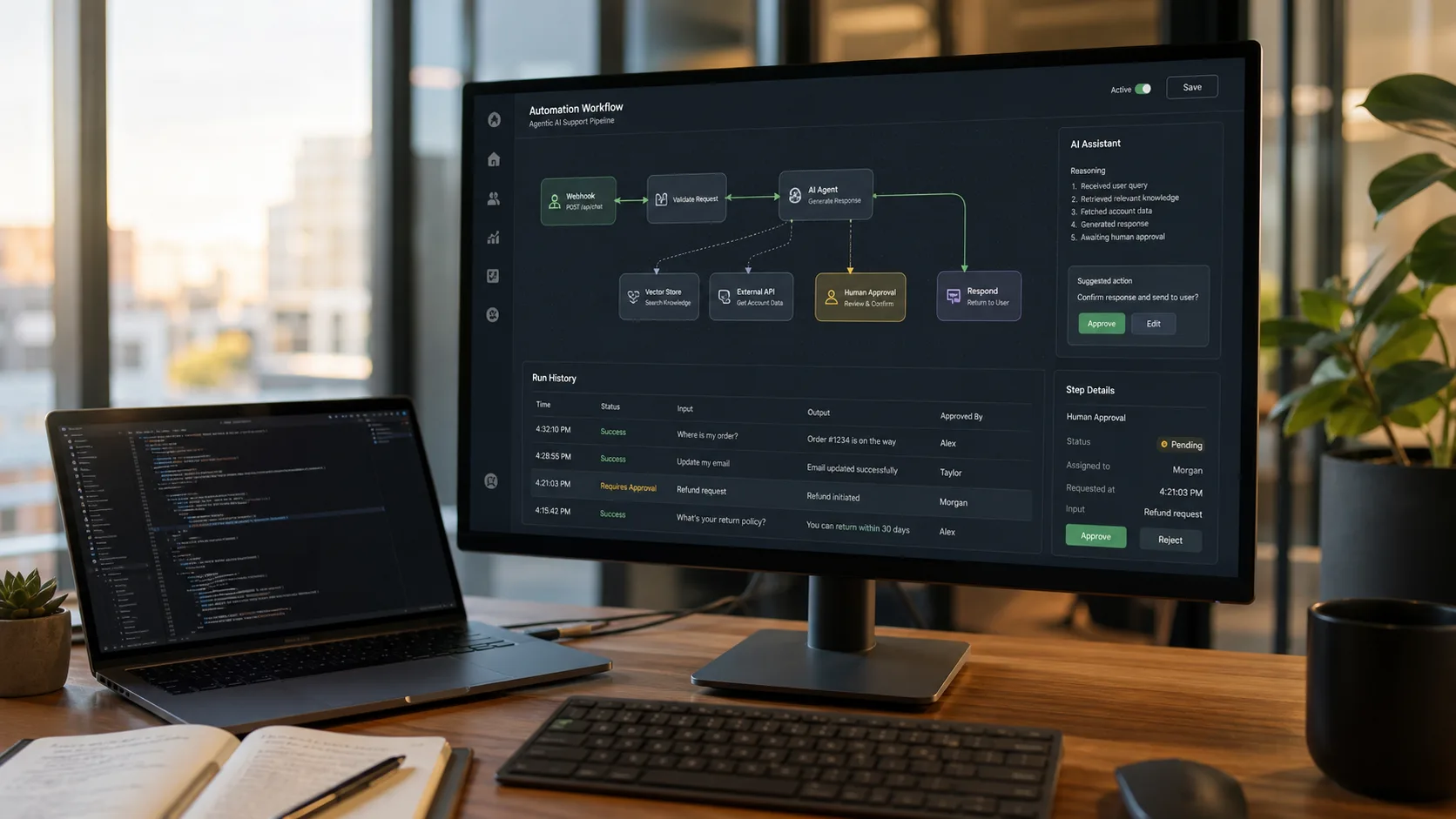
Topical Map for This Automation Cluster
This article is part of a Dev Entity agentic AI automation cluster. The goal is to help buyers compare tools, understand implementation tradeoffs, and decide when a custom integration or AI agent build is stronger than a no-code workflow alone.
Tutorial
- n8n tutorial
- how to use n8n
- n8n for beginners
- creating workflows in n8n
Workflow
- n8n workflow examples
- best n8n nodes
- n8n webhooks
- n8n data integration
Platform
- n8n pricing
- n8n cloud
- n8n self hosted
- n8n open source
- n8n enterprise
Trust
- n8n security
- n8n documentation
- troubleshooting n8n
Comparison
- n8n vs Zapier
- automation tools like Make.com
What n8n Automation Means for Agentic AI
n8n automation connects apps, APIs, databases, webhooks, and AI models into workflows that can act across business systems. In an agentic AI setup, the automation does more than pass data from one app to another. It can classify requests, choose the next action, draft responses, ask for approval, update records, and trigger follow-up tasks.
The strongest use cases keep the AI agent inside a controlled workflow. n8n handles the triggers, credentials, node execution, retries, branching, and handoffs while the AI model handles interpretation, summarization, extraction, or decision support. That structure is useful for sales operations, support triage, finance checks, procurement, reporting, and internal knowledge workflows.
n8n Tutorial: How to Use n8n for Beginners
A simple n8n tutorial should begin with one trigger, one transformation, one AI or rules step, and one output. For example, a webhook receives a new enquiry, an AI node classifies the request, a CRM node updates the lead, and an email or Slack node alerts the right person.
Creating workflows in n8n becomes easier when every step has a clear owner and expected result. Name each node, test with realistic data, keep credentials separate, and add error handling before the workflow touches customer-facing systems.
n8n Features, Integrations, Webhooks, and Best Nodes
Important n8n features include visual workflow building, code steps, reusable credentials, webhook triggers, HTTP requests, branching, loops, error workflows, and a large library of app nodes. n8n integrations can connect CRMs, spreadsheets, email tools, databases, cloud storage, support desks, calendars, payment systems, and custom APIs.
The best n8n nodes depend on the workflow. Most agentic AI automation projects use Webhook, HTTP Request, IF, Switch, Code, Set, Merge, database nodes, email or messaging nodes, and AI model nodes. For n8n data integration, the HTTP Request and database nodes are often more important than any single SaaS integration.
n8n Pricing, Cloud, Self Hosted, Open Source, and Enterprise
n8n pricing should be reviewed against workflow volume, execution limits, collaboration needs, hosting model, and support requirements. n8n cloud is usually simpler for teams that want managed infrastructure. n8n self hosted can fit companies that need more control over data location, networking, and deployment.
n8n open source is one reason technical teams evaluate the platform, but production automation still needs engineering discipline. n8n enterprise can matter when the business needs stronger governance, user management, audit expectations, and support. Always check the current official pricing page before buying because plan names, limits, and AI-related features can change.
n8n Security and Documentation Checklist
n8n security starts with credential ownership, environment management, network controls, least-privilege access, two-factor authentication, secrets handling, logging, and backup planning. Self-hosted users should also consider encryption, database security, update routines, and who is responsible for incident response.
Use n8n documentation as the implementation source of truth, but translate docs into a business-specific runbook. A production workflow should explain what it does, who owns it, what data it touches, how failures are handled, and when a human must approve an AI-generated action.
n8n vs Zapier: Which Is Better for Agentic AI?
n8n vs Zapier is not a universal winner-takes-all comparison. Zapier is often easier for non-technical teams that want fast app-to-app automation. n8n can be stronger when the business needs API-level control, self-hosting, custom logic, complex branching, or developer ownership.
A practical decision is to use Zapier for simple SaaS automations and n8n for workflows that behave more like internal software. If the workflow touches sensitive data, custom systems, proprietary scoring, multi-step approvals, or AI agents that call internal tools, n8n may be a better foundation.
Workflow Examples for Buyers
The best agentic AI automation projects start with workflows that are frequent, measurable, and connected to revenue, response time, customer experience, or operational cost.
Lead qualification agent
A webhook receives a form lead, AI summarizes intent, n8n scores fit, the CRM is updated, and a sales owner gets a task only when the lead meets defined rules.
Support triage workflow
A ticket enters the system, AI classifies urgency, n8n checks customer records, drafts a response, and routes sensitive cases to a human approval queue.
Finance document review
Invoices are extracted, matched against purchase data, exceptions are flagged, and approved records are pushed into finance software with an audit log.
Internal Linking Map
Use these links to move from tool research into a practical implementation plan with Dev Entity.
n8n vs Zapier
Compare n8n with Zapier for business automation, pricing, integrations, and AI workflow speed.
Automation tools like Make.com
See when Make.com is a better visual scenario builder for agentic AI automation.
AI automation services
Build agentic workflows, API integrations, approval systems, dashboards, and automation pilots.
AI agent development company
Design AI agents that can safely use tools, retrieve data, and support business decisions.
Custom software development
Move beyond no-code limits with custom backend logic, databases, APIs, and internal platforms.
Digital consulting
Map workflows, prioritize automation opportunities, and choose the right implementation path.
Official Resources
Pricing, limits, supported apps, security controls, and product names can change. Check these official resources before making a final procurement decision.
Need agentic AI automation built around your business?
Dev Entity helps businesses map workflows, select the right automation platform, connect APIs, add AI agents, protect sensitive data, and turn one useful pilot into a scalable operating system.
Frequently Asked Questions
Is n8n good for agentic AI automation?
Yes. n8n is a strong fit when an AI workflow needs webhooks, APIs, custom logic, branching, database access, and human approval steps. It is especially useful for technical teams that want more control than basic app-to-app automation.
Is n8n for beginners or only developers?
Beginners can learn n8n with simple workflows, but production agentic AI automation usually benefits from developer support for credentials, error handling, data mapping, security, and deployment.
Should a business use n8n cloud or n8n self hosted?
n8n cloud is simpler to operate. n8n self hosted can be better when a business needs infrastructure control, custom networking, strict data handling, or deeper backend integration.
What are good first n8n workflow examples?
Good first examples include lead routing, ticket triage, invoice checks, report generation, CRM cleanup, onboarding reminders, and AI-assisted document summarization.